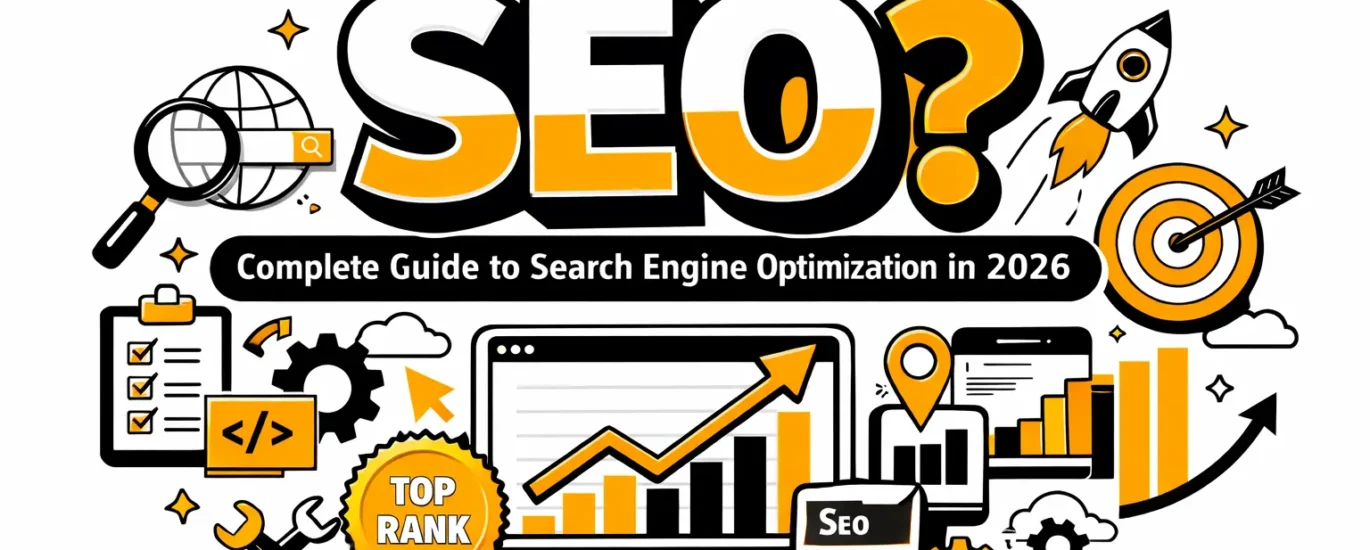
SEO Explained: Types, On-Page, Off-Page & Technical SEO Guide

In today’s digital world, simply having a website is not enough. you need visibility. This is where Search Engine Optimization (SEO) plays a crucial role. SEO is the process of optimizing your website to rank higher on search engines like Google, Bing, and Yahoo, helping you attract organic (free) traffic and grow your online presence.

Whether you are a beginner, business owner, or digital marketing professional, understanding SEO is essential to succeed online in 2026. From optimizing your website content and structure to building high-quality backlinks and improving technical performance, SEO involves a combination of strategies that align with search engine algorithms and user intent.

In this complete guide, you will learn everything about SEO, including its meaning, types (On-Page, Off-Page, and  Technical SEO), and practical optimization techniques. By the end of this guide, you will have a clear roadmap to improve your website rankings, drive targeted traffic, and build long-term online authority.

What Is SEO (Search Engine Optimization)?

SEO, or Search Engine Optimization, is a digital marketing discipline and a set of practices aimed at improving the visibility and ranking of a website or web page in search engine results pages (SERPs). The primary goal of SEO is to increase organic (non-paid) traffic to a website by optimizing various aspects of the site to align with the algorithms used by search engines like Google, Bing, and Yahoo.

Types of SEO (Search Engine Optimization)

Understanding the different types of SEO is important because it helps you create a complete optimization strategy rather than relying on just one method. When all types of SEO are implemented effectively, they work together to boost rankings, enhance user experience, and drive consistent organic traffic.

Let’s explore the main types of SEO in detail

On-Page SEO

On-Page SEO refers to the process of optimizing individual web pages to improve their search engine rankings and attract relevant organic traffic. It involves optimizing elements like content, keywords, title tags, meta descriptions, headings, images, and internal linking to make the page more search engine-friendly and user-friendly.

In simple terms, On-Page SEO is everything you do inside your website to rank higher on search engines like Google.

Importance of On-Page SEO

On-Page SEO is the foundation of your entire SEO strategy. Without it, even strong backlinks or technical SEO cannot help you rank effectively.

Key Importance:

  • Improves Search Engine Rankings
    Proper optimization helps search engines understand your content better.
  • Enhances User Experience (UX)
    Well-structured content keeps users engaged and reduces bounce rate.
  • Increases Organic Traffic
    Targeting the right keywords brings relevant visitors to your website.
  • Boosts Click-Through Rate (CTR)
    Optimized titles and meta descriptions attract more clicks.
  • Supports AI & Voice Search (AEO/GEO)
    Structured and clear content helps your site appear in Featured Snippets and AI answers

Rules According to Google (Best Practices)

To rank effectively, you must follow the guidelines of Google and avoid spammy techniques.

DO’s (Recommended by Google)

  • Create High-Quality Content (EEAT)
    Content should demonstrate Experience, Expertise, Authoritativeness, and Trustworthiness.
  • Use Relevant Keywords Naturally
    Avoid keyword stuffing; focus on user intent.
  • Optimize Title Tags & Meta Descriptions
    Make them clear, attractive, and keyword-focused.
  • Use Proper Heading Structure (H1, H2, H3)
    Helps both users and search engines understand content hierarchy.
  • Optimize Images (Alt Tags)
    Improves accessibility and image search rankings.
  • Ensure Mobile Friendliness
    Most users browse via mobile devices.
  • Improve Page Speed
    Fast-loading pages rank better and improve user experience.
  • Use Internal Linking
    Helps distribute link authority and improves navigation.

DON’Ts (Avoid These Mistakes)

  • Keyword stuffing
  • Duplicate content
  • Hidden text or links
  • Clickbait titles that don’t match content
  • Poor readability or unstructured content

On-Page SEO is made up of several important elements that work together to improve your website’s visibility, structure, and user experience. Each element plays a specific role in helping search engines like Google understand your content and rank it for the right keywords.

Important elements of On-page SEO

Title Tag Optimization

A Title Tag is an HTML element that defines the title of a web page. It appears as the clickable headline in search engine results pages (SERPs) and also on the browser tab.

In simple terms, the title tag tells both users and search engines like Google what your page is about.

Importance of Title Tag

The title tag is one of the most important On-Page SEO factors because it directly impacts rankings and user clicks.

Key Importance:
  • Improves Search Rankings
    Search engines use title tags to understand the topic of your page.
  • Increases Click-Through Rate (CTR)
    A compelling title encourages users to click on your link.
  • First Impression on Users
    It is the first thing users see in search results.
  • Supports Keyword Targeting
    Helps rank your page for specific keywords.
  • Helps in AI Search (AEO & GEO)
    Clear and intent-based titles increase chances of appearing in Featured Snippets and AI-generated results.

Rules According to Google (Best Practices)

To create an effective title tag, you must follow the best practices recommended by Google.

DO’s (Best Practices)
  • Keep Length Between 50–60 Characters
    Ensures the full title is visible in search results.
  • Use Primary Keyword at the Beginning
    Improves relevance and ranking potential.
  • Make It Clear and Relevant
    Title should match the page content.
  • Add Power Words or Numbers
    Example: “Complete Guide”, “Top 10”, “Best Tips”
  • Use Branding (Optional)
    Add your brand name at the end (e.g., | DigitalPro.Guru)
  • Make It Click-Worthy (CTA)
    Use words like “Learn”, “Discover”, “Get”
  • Ensure Unique Titles for Every Page
    Avoid duplication across your website.
DON’Ts (Avoid These Mistakes)
  • Keyword stuffing (e.g., “SEO SEO SEO Tips SEO Guide”)
  • Very long titles (above 60–65 characters)
  • Misleading or clickbait titles
  • Using the same title for multiple pages
  • Irrelevant keywords
Examples:-
Example 1: Basic Optimization

Bad Title:
Home

Good Title:
Best Digital Marketing Services in Delhi | Clickcampus.in

Example 2: Blog Title

Bad Title:
SEO Guide

Good Title:
What Is SEO? Complete Guide for Beginners (2026)

Meta Tag Optimization is the process of optimizing HTML meta tags. such as meta description and meta keywords. to improve how a webpage is understood and displayed in search engine results.

These tags help search engines like Google understand the context of your page, although not all meta tags are still actively used for ranking.

Meta Description Tag:

A Meta Description Tag is an HTML element that provides a brief summary of a webpage’s content. It appears below the title tag in search engine results pages (SERPs) and helps users understand what the page is about before clicking.

In simple terms, it is your page’s advertisement copy on search engines like Google.

Syntax:-

<meta name=”description” content=”Learn what SEO is, its types, and how to optimize your website to rank higher in 2026.”>

Importance of Meta Description Tag

Although meta descriptions are not a direct ranking factor, they play a huge role in driving traffic.

Key Importance:
  • Increases Click-Through Rate (CTR)
    A compelling description attracts more clicks.
  • Improves User Experience
    Helps users quickly decide if your page matches their intent.
  • Boosts Organic Traffic
    Higher CTR can indirectly improve performance.
  • Supports Search Intent Matching
    Clear descriptions align with what users are searching for.
  • Helps in AI & Voice Search (AEO/GEO)
    Well-structured descriptions are often used in AI summaries and voice responses.
Rules According to Google (Best Practices)

To optimize meta descriptions effectively, follow guidelines recommended by Google.

DO’s (Best Practices)
  • Keep Length Between 140–160 Characters
    Avoid truncation in search results.
  • Write Clear & Engaging Content
    Make it easy to understand in 1–2 sentences.
  • Use Primary Keyword Naturally
    Preferably at the beginning.
  • Match Search Intent
    Ensure it reflects what users are looking for.
  • Add Call-to-Action (CTA)
    Example: “Learn more”, “Get started”, “Explore now”
  • Make Each Description Unique
    Avoid duplication across pages.
DON’Ts (Avoid These Mistakes)
  • Keyword stuffing
  • Writing vague or generic descriptions
  • Using misleading or clickbait content
  • Exceeding character limits
  • Copy-pasting the same description for multiple pages
Examples of Meta Description Tag
Example: Blog Page

Bad:
This page is about SEO.

Good:
Learn what SEO is, its types, and how to optimize your website step-by-step to rank higher on Google in 2026.

Meta Keywords Tag:

The Meta Keywords Tag is an HTML tag that was historically used to specify a list of keywords related to a webpage.

Syntax:-

<meta name=”keywords” content=”SEO, digital marketing, on-page SEO, SEO tips”>

Importance of Meta Keywords Tag

In 2026, Meta Keywords Tag has NO importance for SEO rankings.

Search engines like Google do not use meta keywords as a ranking factor anymore.

Why it lost importance:
  • Heavily abused through keyword stuffing
  • Low-quality and spammy practices
  • Not reliable for understanding content
Rules According to Google
  • Google completely ignores meta keywords tag
  • Adding it will not improve rankings
  • It is considered an outdated SEO practice

Image Optimization refers to the process of optimizing images on a website to improve page speed, user experience, and search engine visibility.

An Alt Tag (Alternative Text) is an HTML attribute used to describe an image. It helps search engines like Google understand what the image is about and improves accessibility for users who cannot see images.

Syntax:-

<img src=”on-page-seo-checklist.jpg” alt=”On-Page SEO checklist for beginners”>

Importance of Image & Alt Tag Optimization

Optimizing images is essential for both SEO performance and user experience.

Key Importance:

  • Improves Website Speed
    Optimized images load faster, reducing bounce rate.
  • Helps in Image Search Rankings
    Proper alt tags allow your images to rank on Google Images.
  • Enhances Accessibility
    Screen readers use alt text to describe images to visually impaired users.
  • Boosts On-Page SEO
    Adds additional keyword relevance to your content.
  • Supports AI & Visual Search (AEO/GEO)
    Search engines use image data for AI-based results and visual discovery.
Rules According to Google (Best Practices)

Follow these guidelines recommended by Google for effective image optimization:

DO’s (Best Practices)
  • Use Descriptive File Names
    Example: seo-checklist.jpg instead of IMG1234.jpg
  • Write Clear & Relevant Alt Text
    Describe the image naturally with keywords.
  • Keep Alt Text Short & Meaningful
    Around 8–12 words is ideal.
  • Compress Images for Faster Loading
    Use tools like TinyPNG or WebP format.
  • Use Responsive Images
    Ensure images adjust properly on mobile devices.
  • Add Keywords Naturally (No Stuffing)
    Keep it user-friendly and relevant.
DON’Ts (Avoid These Mistakes)
  • Keyword stuffing in alt text
  • Using irrelevant or misleading descriptions
  • Leaving alt attributes empty (for important images)
  • Uploading large, uncompressed images
  • Using generic file names
Example 1: File Name Optimization

Bad:
IMG_2026.jpg

Good:
on-page-seo-techniques.jpg


Example 2: Alt Tag Optimization

Bad Alt Text:
image1

Good Alt Text:
“On-Page SEO techniques checklist for beginners”


Pro Tip (Expert Level – 2026 SEO)

In 2026, Image SEO is not just about alt tags—it’s about context + speed + AI understanding.

Focus on:

  • Using WebP format for faster loading
  • Compressed image under 100KB (fast loading)
  • Adding contextual images (relevant to content)
  • Optimizing for Google Lens & visual search
  • Using lazy loading for better performance

Advanced Strategy:
Combine image + surrounding text + alt tag → This helps AI understand your content deeply (GEO advantage)

Leave a Reply

Your email address will not be published. Required fields are marked *

Related Posts

No Related Post